How to change outgoing mail server IP address in Linux PLESK
You can easily change the mail server ip address in cpanel by using /etc/mailips file. The same as in PLESK you can also change the outgoing mail server ip address by using “/var/qmail/control/smtproutes” file. first…
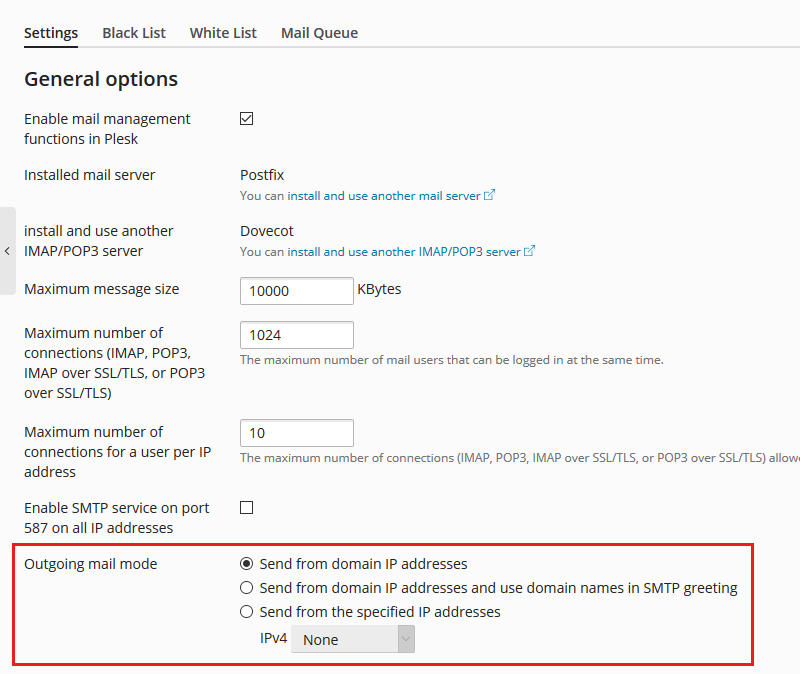
You can easily change the mail server ip address in cpanel by using /etc/mailips file. The same as in PLESK you can also change the outgoing mail server ip address by using “/var/qmail/control/smtproutes” file.
first check the domain name which is hosted on the server by using following file
1) cat /var/qmail/control/rcpthosts
domain1.com
domain2.com
domain3.com
domain4.com
domain5.com
2) By default the “/var/qmail/control/smtproutes” file is not present on PLESK server, you need to create it.
vi /var/qmail/control/smtproutes
3) Then add the new ip address in the following format.
domain1.com:111.222.333.444
domain2.com:111.222.333.444
4) Save the file and restart qmail
/etc/init.d/qmail restart
Replace the domain.com with your own domain name and the IP 111.222.333.444
Continue Reading
Related Technical Articles
More server, hosting and infrastructure articles related to this topic.
![[HOW TO] Upgrade MySQL 5.5 to 5.6](/blog/uploads/2016/04/Upgrade-MySQL-5.5-to-5.6.jpg)